 AI Help Wise
Kids 10–14 learn how AI really works — sixteen playable missions
Sixteen missions on a Windows PC that show kids how AI works, with Pip reading each lesson and a quiz before the next one unlocks.
$24 Home license · Windows 10/11 · 14-day refund
Windows 10/11 PC only — not for Mac, Chromebook, iPad or phones.
Your download link arrives at your PayPal email within 24 hours.
Teachers and schools: Classroom $79 · Campus $249 (card or PayPal, or USDC on Solana)
Who it's for: Parents of kids aged 10–14, and teachers, who want them to understand how AI works — on a Windows 10/11 PC, offline, with no student account.
- 14-day refund
- Offline on Windows 10/11
- No student login
- 16 missions
- One ZIP download
Inside the ZIP
What you get
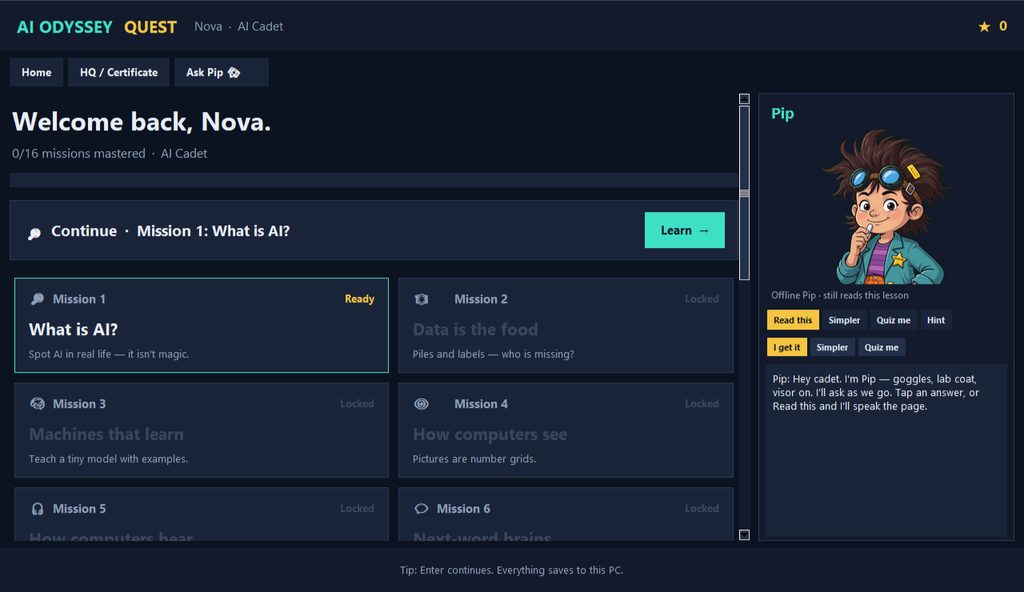
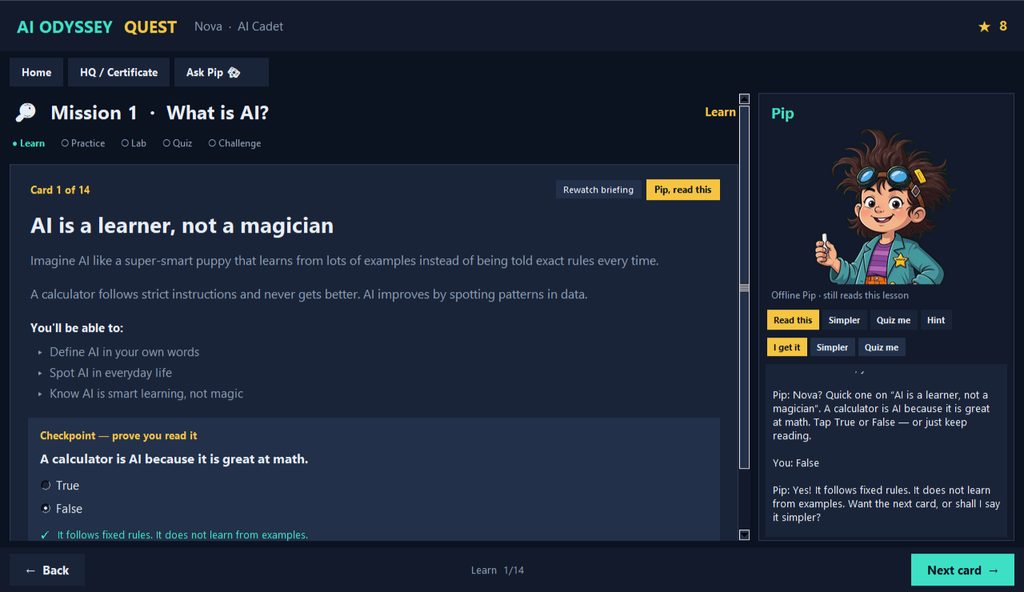
Playable Windows app: 16 missions with hands-on labs; each quiz needs 80% before the next mission unlocks
Pip, the game's tutor character, reads the lesson aloud and asks questions
Visor briefings and the full curriculum
Parent/teacher guide and license
Progress stays on your PC — no student login
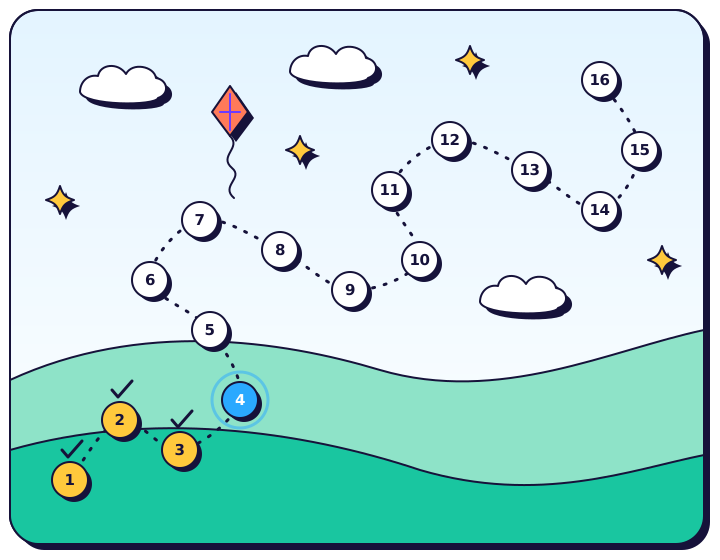
How it works
Unzip, play, pass
-
1
Get the ZIP
Your download link arrives by email.
-
2
Double-click to start
No install needed.
-
3
Pass each quiz
Each mission unlocks after 80% on the quiz before it.
Setup (after you get the zip)
Windows 10/11. Unzip, double-click AI-Odyssey-Quest.exe. No install needed.
Screen time with a pass bar
Most “AI for kids” products are a chat box with a cute skin.
AI Odyssey Quest is different: offline Windows, Pip as tutor, 16 missions, and quizzes that need 80% before the next level unlocks.
Independently designed for ages 10–14. Informed by AI4K12 / UNESCO human-centred ideas — not certified by UNESCO, Code.org, or MIT.
Home: $24.
Giving it as a gift?
AI Odyssey Quest works as a holiday gift or winter-break activity for a 10–14-year-old. Buy the $24 Home license with the button above; the download link goes to your PayPal email, so the surprise stays yours.
Then print the free gift note and tuck it in a card.
Also: Solo Close Kit · $49 · 1-page storefront teardown · $29 · All kits · Also on itch (Home $24)
Get Home — $24
Your download link arrives at your PayPal email within 24 hours.
Windows 10/11 PC only — not for Mac, Chromebook, iPad or phones.
Or pay with USDC on Solana
USDC is a dollar stablecoin you pay from a Solana wallet (Phantom or Solflare).
ZIP within 24 hours of your payment email · no login · no calls.
One household. Send exactly 24 USDC on Solana to this address. Scan or tap the QR, which already carries the AIOQ-HOME memo. Then email your wallet address or transaction signature to loganromero.revenue@proton.me to get the ZIP within 24 hours.
Windows 10/11. Unzip, double-click AI-Odyssey-Quest.exe. No install needed.
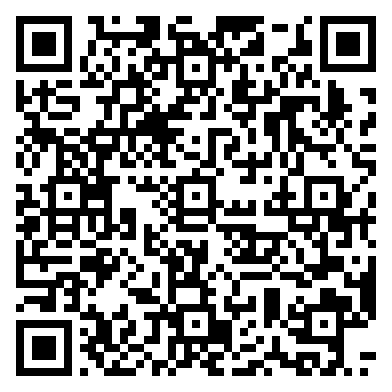
3KqLqnzBTo7NP88wajzkdymmVj2e8mUziBrLovBgjQ2v
Memo (set by the QR; type it only if you send by hand): AIOQ-HOME · Amount (copy): 24
Network: Solana. Token: USDC. Mint (copy): EPjFWdd5AufqSSqeM2qN1xzybapC8G4wEGGkZwyTDt1v.
Solana USDC only — not SOL, not Ethereum USDC.
Works with Phantom or Solflare (Solana) — scan QR or paste address.
After payment, email loganromero.revenue@proton.me (subject: AIOQ-HOME paid) with your wallet address or transaction signature to get AI-Odyssey-Quest-Windows.zip within 24 hours. No login.
Quick-start steps ship inside the ZIP.
Not happy? Email within 14 days for a full refund.
Teachers and schools
Classroom and Campus licenses
Need a Classroom license? ($79 · up to 30 seats)
Pay — Classroom $79
Your download link arrives at your PayPal email within 24 hours.
Windows 10/11 PC only — not for Mac, Chromebook, iPad or phones.
Or pay with USDC on Solana
One teacher, up to 30 seats, one campus. Send exactly 79 USDC on Solana. Scan or tap the QR, which already carries the AIOQ-CLASS memo.
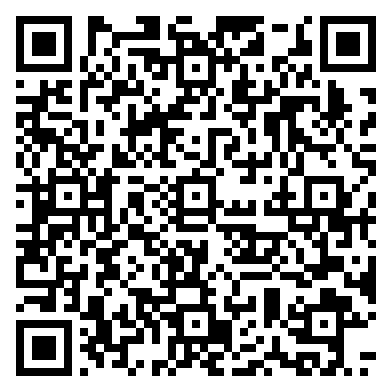
3KqLqnzBTo7NP88wajzkdymmVj2e8mUziBrLovBgjQ2v
Same network and support email as Home. Install on class PCs / a shared lab is allowed under this license.
After payment, email loganromero.revenue@proton.me (subject: AIOQ-CLASS paid) with your wallet address or transaction signature to get AI-Odyssey-Quest-Windows.zip within 24 hours. No login.
Not happy? Email within 14 days for a full refund.
Need a whole-school Campus license? ($249)
Pay — Campus $249
Your download link arrives at your PayPal email within 24 hours.
Windows 10/11 PC only — not for Mac, Chromebook, iPad or phones.
Or pay with USDC on Solana
One school site, unlimited students this year. Send exactly 249 USDC on Solana. Scan or tap the QR, which already carries the AIOQ-CAMPUS memo.
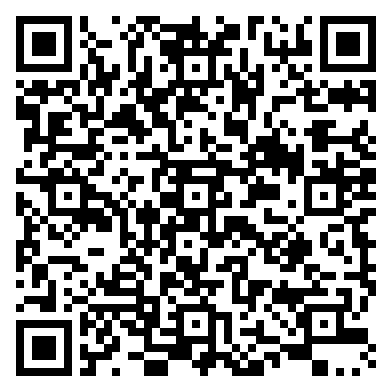
3KqLqnzBTo7NP88wajzkdymmVj2e8mUziBrLovBgjQ2v
Same network and support email as Home. Staff install permitted for that site.
After payment, email loganromero.revenue@proton.me (subject: AIOQ-CAMPUS paid) with your wallet address or transaction signature to get AI-Odyssey-Quest-Windows.zip within 24 hours. No login.
Not happy? Email within 14 days for a full refund.
Questions
FAQ
What’s in the zip?
The playable app, curriculum, visor films, Pip animation, parent/teacher guide, and license. Home = one household. Classroom and Campus are sold separately (see above).
How do I get the files?
You get a download link by email within 24 hours of payment: to your PayPal email if you pay with card or PayPal, or to the email you send your wallet address or transaction signature from if you pay with USDC. The file is AI-Odyssey-Quest-Windows.zip.
What format are the files?
One ZIP download, AI-Odyssey-Quest-Windows.zip (about 51 MB), with AI-Odyssey-Quest.exe (Windows 10/11; unzip and double-click, no install), a README, the parent/teacher guide, and the license. Not for Mac, Chromebook, iPad or phones.
Requirements?
- Windows 10/11. Unzip, double-click AI-Odyssey-Quest.exe. No install needed.
- Speakers or headphones for Pip’s voice
- ~300 MB disk; a few GB RAM is plenty
How do I pay?
Click Pay with card or PayPal (checkout runs on PayPal; a PayPal account is optional when PayPal offers guest card checkout). Or pay with USDC on Solana: scan or tap the QR for your plan (it already carries the exact amount and the SKU memo), then email your wallet address or transaction signature to loganromero.revenue@proton.me to get the ZIP within 24 hours.
Is it certified?
No. Independently designed; informed by AI4K12-style ideas and UNESCO's human-centred stance; not certified by UNESCO, Code.org, MIT, or CSTA, and not a Microsoft or xAI partnership.
Is it a chatbot?
No. It's an offline Windows game with locked missions and quizzes; Pip is the game’s tutor character, not a real person or a therapist.
Is it a coding bootcamp?
No. It is not a coding bootcamp and not unsupervised internet; it is an offline Windows game with labs and locked quizzes.
Can I get a refund?
Yes. Email loganromero.revenue@proton.me within 14 days of purchase for a full refund.
Who makes this
Made by Logan Romero, an independent maker. Questions? loganromero.revenue@proton.me
Not happy? Email within 14 days for a full refund. Card payments are refunded through the card processor; USDC payments are refunded to the sending wallet.